
Fliki
Content creators looking to efficiently turn scripts and blog posts into engaging videos.
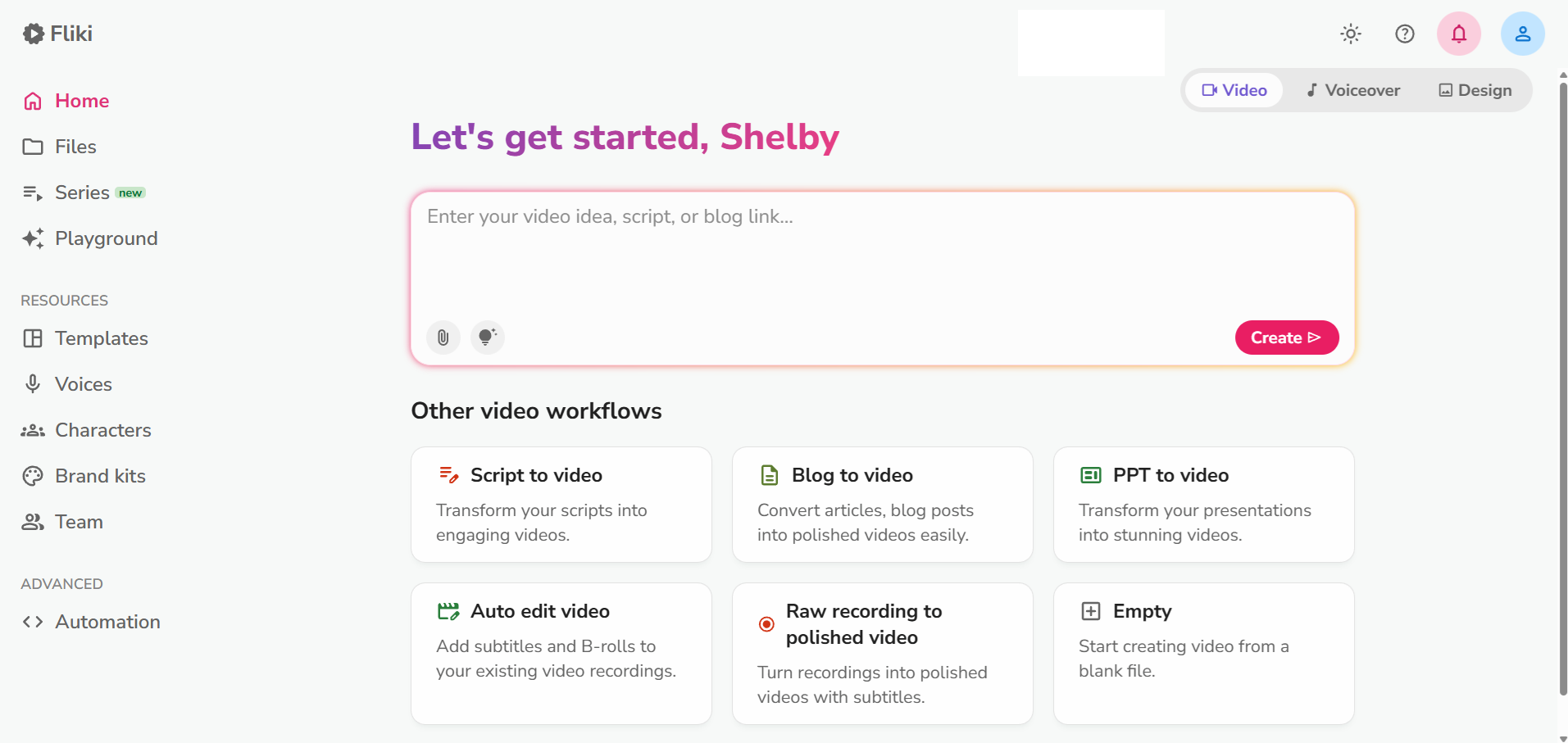
What Is Fliki?
Fliki is an AI-powered tool designed to convert text into videos with realistic AI-generated voiceovers. Developed by a team focused on enhancing content creation efficiency, Fliki aims to streamline the process for creators who wish to transform written material into engaging video formats. Its standout feature is the ability to generate videos with lifelike AI voices, setting it apart in the competitive landscape of AI video creation.
Fliki competes in the AI design tools category, directly challenging platforms like Pictory, Synthesia, and InVideo AI. Its extensive language support and user-friendly interface are key differentiators, making it particularly attractive for content creators who operate on a global scale.
Who Is Fliki Best For?
Fliki is a strong fit for:
- Content creators who need to quickly convert scripts or blog posts into videos without advanced editing skills.
- Multilingual marketers aiming to reach international audiences, thanks to its support for over 75 languages.
- Educators and trainers looking to create instructional videos with clear, professional voiceovers.
- Small businesses that require engaging digital content for marketing but lack large production budgets.
Fliki is NOT the best choice for:
- Professional video editors who need detailed control over video elements; tools like Adobe Premiere Pro offer more flexibility.
- Budget-conscious users who may find the higher-tier pricing prohibitive; Pictory offers more affordable plans.
- Creators needing high customization, as Fliki’s features might not satisfy those requiring intricate video editing capabilities.
- Users seeking unlimited video content; the free version’s limit of 5 minutes per month is restrictive.
Key Features That Actually Matter
AI Voiceovers
Fliki boasts an impressive array of AI voices that mimic human intonation and emotion. From our evaluation, these voices are remarkably lifelike, enhancing the viewer’s experience and making the content more engaging. The tool supports a wide variety of accents and languages, catering to a diverse range of audiences.
Text-to-Video Conversion
The core feature of Fliki is its ability to transform written content into video format with minimal input. Users can paste text, select a voice, and generate a video in minutes. This efficiency is a major draw, as it allows creators to produce content rapidly without sacrificing quality.
Language Support
Fliki supports over 75 languages, making it a versatile choice for creators targeting a global audience. This extensive language capability is a significant advantage, especially for multinational companies or content creators looking to expand their reach internationally.
User-Friendly Interface
Fliki’s interface is designed to be intuitive, even for those with minimal technical skills. Users can navigate through the video creation process with ease, selecting templates and audio options with just a few clicks. This streamlined experience is one of Fliki's standout features.
Real Output Assessment
Based on our analysis and publicly available feedback, Fliki’s output quality is generally high, particularly in terms of voice clarity and video presentation. However, some users have noted that the quality can fluctuate with complex or nuanced text, leading to less natural-sounding results. Despite this, the tool consistently delivers publishable-quality videos for straightforward scripts.
Get tested AI tool picks every week
One recommendation, practical tips, and comparison highlights. Read by creators and small teams.
Pricing Breakdown
Fliki offers a tiered pricing structure designed to cater to different user needs:
-
Free Plan: Offers 5 minutes of video per month at 720p resolution with a watermark. This plan is ideal for users who want to test the waters without a financial commitment.
-
Standard Plan ($28/month): Provides 180 minutes of video at 1080p resolution, supporting up to 75 languages. This plan is highlighted for regular content creators needing higher quality without breaking the bank.
-
Premium Plan ($88/month): Offers 600 minutes of video with ultra-realistic voices and no watermark, suitable for professional creators who demand high output volumes.
Compared to competitors like Synthesia, Fliki's pricing is on the higher side, especially for the premium tier. However, for those prioritizing voice quality and language diversity, the cost may be justified. Annual subscriptions do not offer a significant discount, which might be a consideration for long-term users.
What We Don't Like
One major drawback is Fliki’s limited free version, which only allows up to 5 minutes of video per month. This restriction makes it less appealing for users who need to produce content regularly. Additionally, the higher-tier plans are relatively costly compared to similar tools in the market, which might discourage budget-conscious creators.
The inconsistency in output quality, particularly with complex scripts, can also be a concern. Users seeking highly polished and personalized video content might find Fliki’s capabilities somewhat lacking. Furthermore, the absence of advanced video editing features means that those needing more customizability will need to look at other options like InVideo AI.
Fliki vs the Competition
Fliki competes directly with tools like Pictory, Synthesia, and InVideo AI.
-
Pictory: Offers a more affordable solution with a focus on simplicity and ease of use. It's a better choice for users prioritizing cost-effectiveness over advanced features.
-
Synthesia: Known for its high-quality video creation and realistic avatars, it’s ideal for professional presentations and corporate training videos. Choose Synthesia if visual realism is more crucial than the breadth of voice options.
-
InVideo AI: Provides extensive editing tools, making it suitable for users who need in-depth customization and control over their video projects. For a detailed comparison of these tools, see our Fliki vs Pictory comparison.
Who Should NOT Buy Fliki
-
Advanced video editors who require detailed editing tools should consider Adobe Premiere Pro or Final Cut Pro for their robust features.
-
Budget-conscious creators might find tools like Pictory or Canva’s video editor more affordable while still meeting basic needs.
-
Large enterprises that need comprehensive branding options and corporate-level video production might prefer Synthesia for its high-end features.
-
Creators needing unlimited content should explore options like Animoto, which offers more generous output allowances.
Verdict
In conclusion, Fliki offers a compelling solution for content creators seeking to quickly turn text into engaging videos with AI-generated voices. Its ease of use and extensive language support make it particularly appealing to a global audience. However, the relatively high cost and limited free tier may deter some users.
With a rating of 7.8, Fliki is best suited for creators who prioritize speed and voice quality over advanced video editing features. Those in need of more comprehensive video editing options might be better served by exploring alternatives. Ultimately, Fliki stands out for its efficiency and multilingual capabilities, making it a valuable tool for specific user groups. For those interested, we recommend trying the free version to assess its fit for your needs.
Pros
- Impressive range of AI voices that sound lifelike and engaging.
- User-friendly interface that simplifies the video creation process.
- Supports over 75 languages, making it versatile for global creators.
- Offers a free tier to test basic capabilities without commitment.
Cons
- Limited free version with only 5 minutes of video content per month.
- Higher tiers are relatively expensive compared to similar tools.
- Output quality can be inconsistent depending on the text complexity.
- Lacks advanced video editing features found in competitors.
Fliki
Fliki is ideal for creators needing quick video conversions from text with minimal effort. However, its pricing may deter budget-conscious users, and those requiring advanced editing should consider alternatives.
Best for: Content creators looking to efficiently turn scripts and blog posts into engaging videos.
Explore More
User Rating
Related Articles
ElevenLabs vs Murf vs Play.ht: Best AI Voice Generator in 2026
Read ElevenLabs vs Murf vs Play.ht: Best AI V...Pictory vs Lumen5 vs InVideo: Best AI Video Creator for Small Business
Read Pictory vs Lumen5 vs InVideo: Best AI Vi...AI Video Tools for Ecommerce: Product Videos, Ads, and Social Clips Without a Production Team
Read AI Video Tools for Ecommerce: Product Vi...Founder & Lead Reviewer at ShelbyAI
I've personally tested every tool on this site — signing up, paying for plans, and running real projects for 7–14 days each. When I say a tool works, I mean I've used it on actual client work.
31+ tools tested · 7-14 days per review · Real workflows, real results
Get the Best AI Tools in Your Inbox
Every week, we send one tested AI tool pick plus practical tips. Read by creators, freelancers, and lean teams. No sponsored content.
- One tested AI tool recommendation per week
- Early access to new reviews and comparisons
- Practical workflow tips — zero fluff
Enter your email
No spam, unsubscribe anytime.