
Simplified
Small teams needing a comprehensive design, writing, and video tool in one platform.
What Is Simplified?
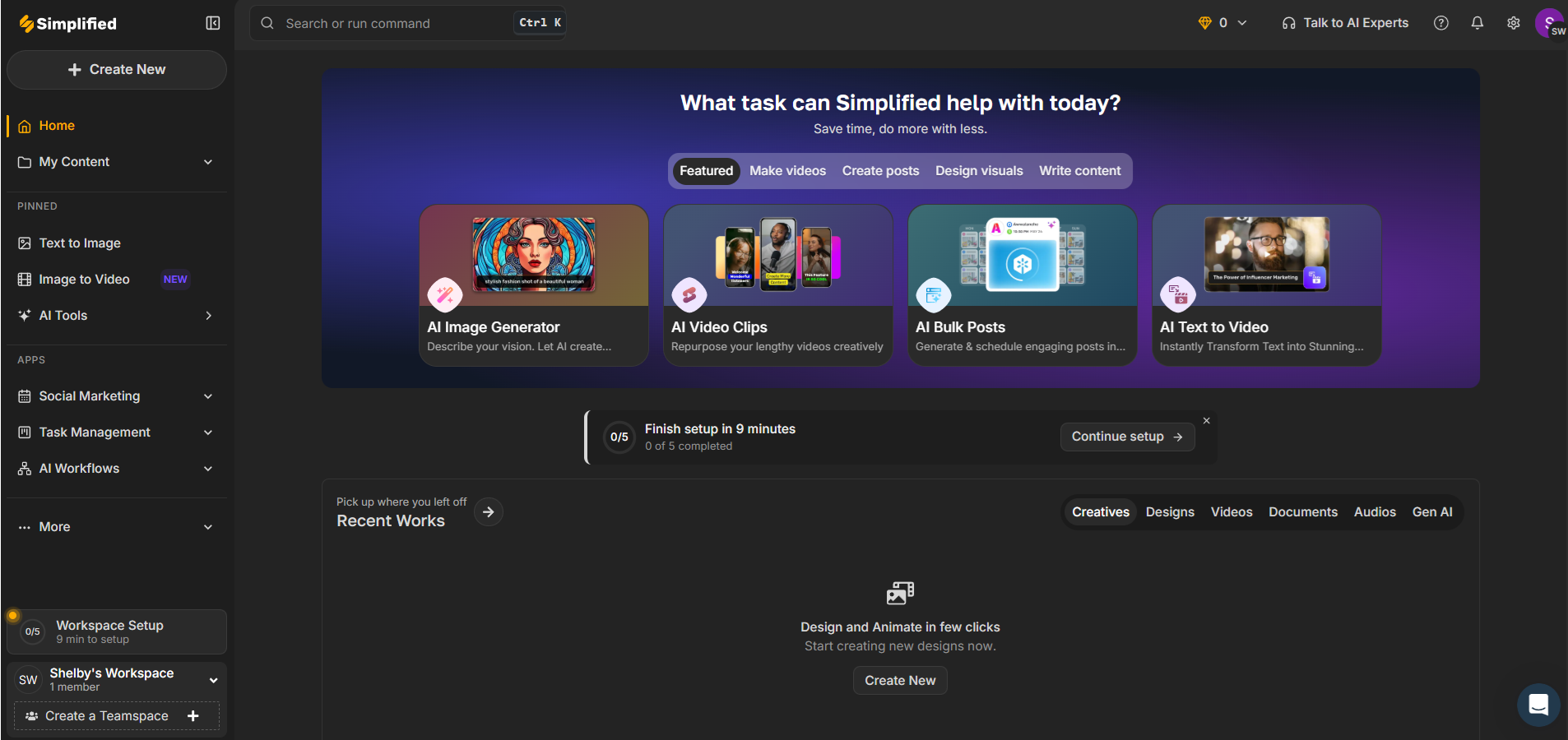
In the crowded field of AI design tools, Simplified aims to stand out by offering a comprehensive platform that combines design, writing, and video creation. Developed with small teams in mind, it seeks to streamline creative workflows by reducing the need to switch between multiple applications. The tool positions itself as an all-in-one solution, competing directly with other multi-functional platforms like Canva and Adobe Express.
Simplified's key differentiators include its integration of an AI writer alongside design and video capabilities, which few competitors offer in a single package. This makes it particularly appealing to small teams that need to juggle multiple types of content creation without the overhead of managing different software tools.
Who Is Simplified Best For?
Simplified is a strong fit for:
- Small teams with diverse content needs: Teams that require design, writing, and video outputs from one platform will benefit from Simplified's integrated approach.
- Budget-conscious users: With competitive pricing, particularly the $21/month Small Team plan, it is ideal for those who need cost-effective solutions.
- Rapid content production: The AI writer's capability to generate content quickly is perfect for teams that need to produce material at a fast pace.
- Beginner designers: The user-friendly interface helps those with minimal design experience create professional-looking outputs without a steep learning curve.
Simplified is NOT the best choice for:
- Advanced video editors: Those who need sophisticated video editing options should consider dedicated tools like Adobe Premiere.
- Template-heavy users: Canva offers a more extensive library of templates, making it a better choice for users who rely heavily on pre-made designs.
- High-volume production teams: Large teams handling massive projects might encounter performance issues; tools like Adobe Express might handle scaling better.
- Customization-demanding designers: If customization is critical, the limited options in Simplified's design tool might frustrate experienced designers.
Key Features That Actually Matter
AI Writer
Simplified's AI writer is designed to help users create content quickly. It can generate articles, blog posts, and social media updates with impressive speed. The AI writer's ability to produce a 1,200-word blog draft in under 5 minutes is particularly noteworthy. However, while the content is structurally sound, it often requires human editing for tone and nuance.
Design Tool
The design tool within Simplified offers basic graphic design capabilities. Users can create marketing materials, social media graphics, and more. While the tool is easy to use, it lacks some of the customization options found in competitors like Canva, which could be limiting for advanced projects.
Video Creation
Simplified's video tool allows users to edit and produce videos directly within the platform. It supports basic video editing functions, making it suitable for simple projects. However, it does not compete with specialized tools like Adobe Premiere in terms of advanced editing features. This makes it more suitable for short, straightforward videos rather than complex productions.
Brand Kit
For teams focusing on brand consistency, the Brand Kit feature is a significant addition. It enables users to keep track of brand assets like logos and color schemes. This feature helps maintain uniformity across different content types, which is crucial for cohesive branding.
Get tested AI tool picks every week
One recommendation, practical tips, and comparison highlights. Read by creators and small teams.
Real Output Assessment
Based on publicly available feedback, Simplified generally delivers satisfactory outputs across its three main functionalities. The AI writer is praised for quick content generation, although some polishing is often required. The design tool outputs are clean and professional, yet the lack of extensive template options can be a drawback for some users. Video outputs are adequate for basic needs, but the editing capabilities are limited compared to dedicated video software. Overall, Simplified's outputs meet the needs of its target market but might fall short for high-end professional requirements.
Pricing Breakdown
Simplified offers three pricing tiers that cater to different user needs. The Free Forever plan provides essential tools for one workspace, making it suitable for individuals or very small teams starting out. The Small Team plan at $21/month is highlighted for its balance of features and affordability, including access to the AI writer pro and a brand kit, making it a solid choice for small teams. The Business plan at $35/month is designed for larger teams needing unlimited workspaces and priority support.
The pricing is competitive when compared to similar tools like Canva and Adobe Express, especially for small teams. The annual costs provide savings over monthly billing, which is often a consideration for budget-conscious users.
What We Don't Like
Despite its strengths, Simplified has some notable weaknesses. The video editing features are basic, which is a significant limitation for teams needing advanced capabilities. This could be a deal-breaker for those producing complex video content regularly. Additionally, some users have reported performance issues, particularly with larger projects, which can hinder productivity.
Another area of concern is the limited design customization options. This can be restrictive for experienced designers looking to create unique, customized visuals. Furthermore, the smaller template library compared to Canva can be a drawback for users who rely heavily on templates for efficiency.
Simplified vs the Competition
When compared to its competitors, Simplified offers a unique combination of features, but it does not always outshine them. Canva is a better choice for users who need a vast template library and advanced design customization. Adobe Express might be preferable for those requiring more sophisticated video editing tools.
For a deeper look at how Simplified compares to Jasper, read our Jasper vs Copy.ai comparison.
Who Should NOT Buy Simplified
- Professional video editors: Instead, invest in a dedicated tool like Adobe Premiere for more advanced editing features.
- Template-reliant creators: Canva's extensive template library will better serve those who depend on pre-made designs.
- Large enterprise teams: Consider Adobe Express or similar tools that handle large-scale projects more efficiently.
- Highly customized design needs: For those needing extensive customization, Adobe Creative Cloud offers superior options.
Verdict
In conclusion, Simplified is a valuable tool for small teams seeking an integrated platform for design, writing, and video tasks. It offers competitive pricing and a user-friendly interface that reduces the learning curve for new users. However, its limitations in video editing and design customization mean it is not suited for everyone.
With a rating of 7.6, Simplified is recommended for teams that need a cost-effective, all-in-one solution without needing advanced features. For those who require high-end capabilities, exploring other options like Adobe Express or Canva might be more beneficial. Overall, Simplified serves its target market well, offering a balanced mix of features and affordability.
Pros
- Integrates design, writing, and video creation in one tool, minimizing app switching.
- Offers a robust AI writer that can generate content quickly and effectively.
- The interface is intuitive and reduces the learning curve for new users.
- Affordable pricing plans make it accessible for small teams.
Cons
- The video editing features are less advanced compared to dedicated tools like Adobe Premiere.
- Some users report occasional slowdowns with large projects.
- Lacks the extensive template library found in competitors like Canva.
- Limited customization options in the AI design tool.
Simplified
Simplified is ideal for small teams that need a unified platform for design, writing, and video tasks. However, those requiring advanced video editing or extensive template libraries might find it lacking. Overall, it is a cost-effective solution for general creative needs.
Best for: Small teams needing a comprehensive design, writing, and video tool in one platform.
Explore More
User Rating
Related Articles
ElevenLabs vs Murf vs Play.ht: Best AI Voice Generator in 2026
Read ElevenLabs vs Murf vs Play.ht: Best AI V...Pictory vs Lumen5 vs InVideo: Best AI Video Creator for Small Business
Read Pictory vs Lumen5 vs InVideo: Best AI Vi...AI Video Tools for Ecommerce: Product Videos, Ads, and Social Clips Without a Production Team
Read AI Video Tools for Ecommerce: Product Vi...Founder & Lead Reviewer at ShelbyAI
I've personally tested every tool on this site — signing up, paying for plans, and running real projects for 7–14 days each. When I say a tool works, I mean I've used it on actual client work.
31+ tools tested · 7-14 days per review · Real workflows, real results
Get the Best AI Tools in Your Inbox
Every week, we send one tested AI tool pick plus practical tips. Read by creators, freelancers, and lean teams. No sponsored content.
- One tested AI tool recommendation per week
- Early access to new reviews and comparisons
- Practical workflow tips — zero fluff
Enter your email
No spam, unsubscribe anytime.