Tools Mentioned in This Guide
Hermes Agent
Autonomous AI Agent · Free (open source, MIT)
Nous Research's self-hosted autonomous agent with persistent memory, self-improving skills, and 40+ tools.
OpenRouter
Model Gateway · Pay-as-you-go
Single API to 200+ models (including free tiers) — the easiest way to give Hermes a brain.
A cloud VPS
Hosting · $5 -- $15/mo
A small always-on server so your agent runs 24/7 instead of stopping when your laptop sleeps.
Ollama
Local Inference · Free
Run open models locally for a fully private, offline Hermes setup on capable hardware.
Docker
Containerization · Free
Run the agent in a hardened container — strongly recommended given Hermes's default permissions.
The Hermes Agent is one of the most talked-about open-source AI projects of 2026 — an autonomous agent from Nous Research that, in their words, "lives on your server, remembers what it learns, and gets more capable the longer it runs." Unlike a coding assistant tied to one editor or a chatbot you talk to and forget, Hermes is a persistent agent: it keeps a memory across sessions, writes its own reusable skills from experience, and reaches you through messaging apps you already use.
This guide covers how to use the Hermes Agent from scratch — what it actually is, how to install it, how to give it a model to think with, how to bridge it to Telegram or Discord, and, crucially, how to lock it down before you trust it with anything real. That last part matters: Hermes ships with very open default permissions, and skipping the hardening step is the most common beginner mistake.
 The Hermes Agent — Nous Research's open-source agent that runs on your own server and remembers what it learns.
Why This Matters
Most AI tools are someone else's cloud service. Hermes flips that: it is MIT-licensed, fully self-hosted, with zero telemetry, so your data stays on infrastructure you control. That appeals to anyone who is privacy-conscious, wants no vendor lock-in, or simply likes owning their stack.
Two design choices make it genuinely different. First, a closed learning loop — when Hermes solves a complex task or gets feedback, it synthesizes a permanent skill document, so it does not relearn the same thing twice. Second, it is model-agnostic: you can point it at Nous's own Hermes 4 models, Claude, GPT, DeepSeek, or a free open model, and swap whenever you like. NVIDIA has described this style of agent as "active orchestration" rather than a thin API wrapper — a persistent, on-device assistant instead of one-off task execution. For solo operators and small teams, that means an always-on helper you can teach once and reuse forever.
What You Will Need
- A machine to run it on. A small cloud VPS (around 2 cores / 4GB RAM, ~$5--15/mo) is ideal for 24/7 uptime. A laptop works for testing.
- Linux, macOS, or WSL2. Native Windows support exists but is still experimental — WSL2 is recommended.
- An LLM to power it. The simplest path is an OpenRouter API key (200+ models, including free tiers). You can also use Claude, OpenAI, DeepSeek, or local models via Ollama.
- A model with at least 64K context. Hermes rejects smaller-context models at startup.
- Docker if you plan to run it hardened (you should — see Step 5).
Step 1: Install Hermes
The official one-line installer handles dependencies for you (Python 3.11+, uv, Node.js, ripgrep, ffmpeg, and Git):
curl -fsSL https://hermes-agent.nousresearch.com/install.sh | bash
source ~/.bashrc
On native Windows (experimental — prefer WSL2):
iex (irm https://raw.githubusercontent.com/NousResearch/hermes-agent/main/scripts/install.ps1)
Pro tip: Per this site's golden rule, audit any script before you pipe it into a shell. Open the install URL in a browser and skim it first — it is good security hygiene with any curl | bash installer, not just this one.
Step 2: Run the Setup Wizard
Launch the interactive setup:
hermes setup
The wizard walks you through choosing an LLM provider and model. If you are just starting, point it at OpenRouter and pick an inexpensive or free model to keep costs near zero while you learn. You can change this any time later with hermes model.
Once setup finishes, start chatting:
hermes
You are now talking to your agent directly in the terminal. Ask it to do something concrete — search the web, summarize a file, run a command — to see the tool system in action.
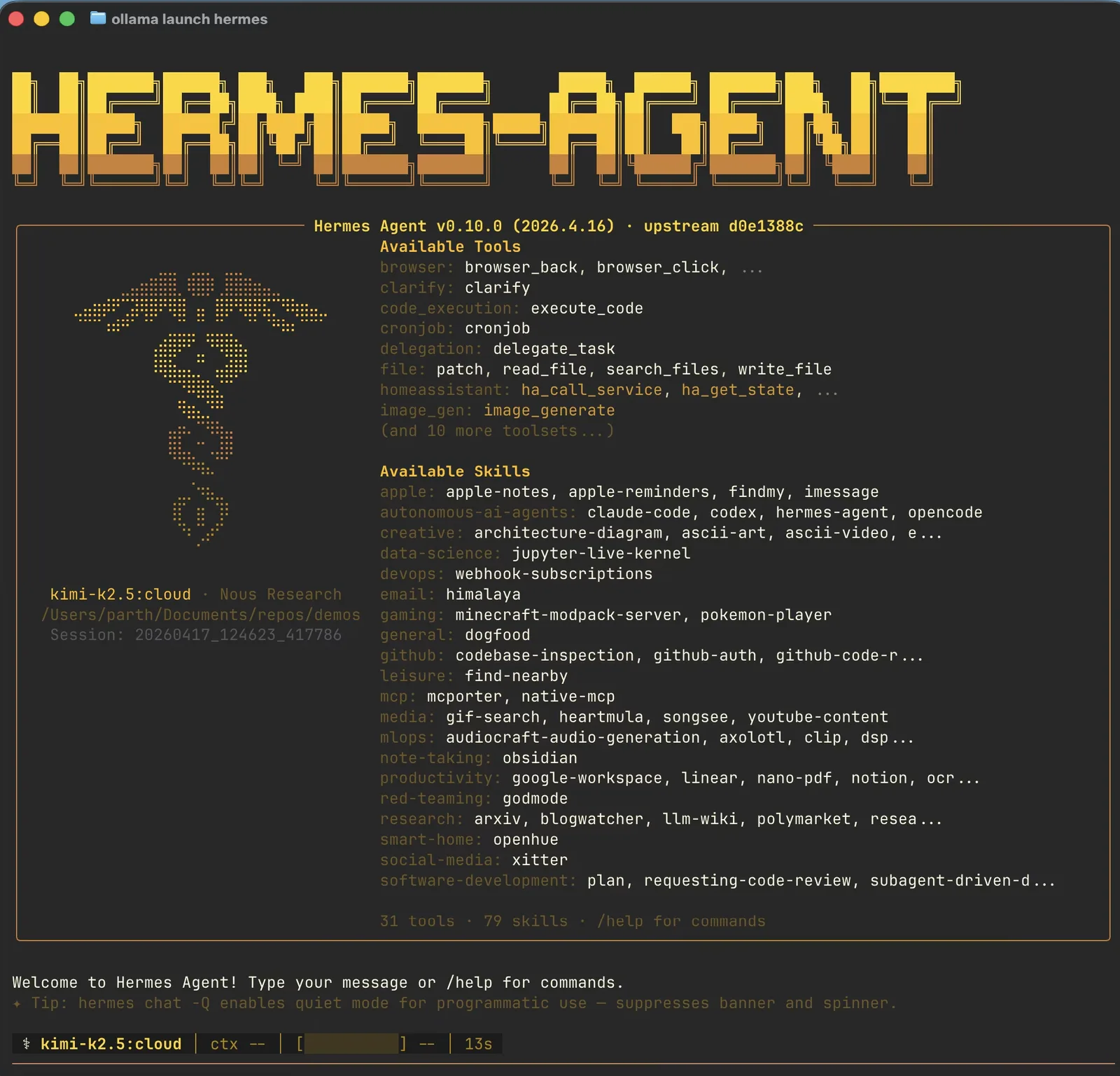 Hermes is a self-hosted agent with persistent memory and self-improving skills — it learns your projects and keeps getting more capable the longer it runs.
Step 3: Give It the Right Brain (Model Selection)
Hermes is only as capable as the model behind it, and matching model to budget is the key lever.
- Cheapest start: a free OpenRouter model — fine for testing and light tasks.
- Strong value: DeepSeek, or Nous's own Hermes 4 70B (roughly $0.13 per million input tokens / $0.40 output).
- Top capability: Hermes 4 405B (~$1 / $3 per million tokens) or Claude/GPT for the hardest jobs.
- Fully private: run an open model locally with Ollama or LM Studio — no API costs, no data leaving your machine, but you need capable hardware.
The Hermes 4 family deserves a note: these are open-weight models from Nous built for "hybrid reasoning" and a deliberately neutral, minimal-restriction alignment. Nous publishes strong benchmark figures for the 405B model — treat vendor benchmarks as directional, but the models are well-regarded and free to download from Hugging Face.
Pro tip: Start cheap and only scale up the model when a task demands it. You will be surprised how much a mid-tier model handles, and you avoid burning money while you are still learning the agent's quirks.
Step 4: Connect a Messaging Gateway
The feature that makes Hermes feel like a personal assistant is the gateway — it bridges your agent to Telegram, Discord, Slack, WhatsApp, Signal, or Email so you can talk to one persistent agent from your phone.
hermes gateway install
hermes gateway start
Follow the prompts to authenticate the channel you want (Telegram is the easiest to start with — you create a bot token and paste it in). Once connected, message your agent from anywhere and it acts on your behalf using the same memory and skills it built in the terminal.
Step 5: Harden It Before You Trust It (Do Not Skip)
This is the most important step in the guide. By default, Hermes runs with an allow-all posture — it can execute arbitrary shell commands and read files anywhere on the machine. A community security audit of an earlier version documented several critical and high-severity findings tied to exactly this: unrestricted shell execution and the ability to read sensitive files like SSH keys and .env secrets.
That is fine for a sandbox, but reckless on a machine with real credentials. Before you connect it to messaging or give it meaningful tasks:
- Run it in a container. Use the Docker backend so the agent is isolated from your host system.
- Restrict file writes. Set
HERMES_WRITE_SAFE_ROOTto confine writes to a specific directory. - Disable any "YOLO" / auto-approve mode so the agent asks before sensitive actions.
- Set the security guard to fail closed (
tirith_fail_open: false) so a failure denies rather than allows. - Never install it on a machine that holds production secrets or personal credentials. Use a dedicated VPS.
Do these five things and you get the benefits of an autonomous agent without handing it the keys to your entire system.
Results: What to Expect
Set up well, Hermes becomes a quietly compounding assistant. The first day it feels like a chatbot with tools. Within a week, it has accumulated memory about your projects and written a few skills, so it stops asking you the same setup questions. Connected to messaging and running on a VPS, it becomes an always-on helper you can fire tasks at from your phone.
Be realistic about the rough edges. Memory written mid-session does not take effect until the next session (an intentional performance tradeoff), so if it "forgets" something it just learned, start a fresh session. Its skill self-evaluation is imperfect — occasionally it keeps using a skill that has quietly broken, so review your skills now and then. And setup genuinely takes longer than a plug-and-play SaaS tool: budget an evening for your first solid, hardened configuration.
Advanced Tips
Use Natural-Language Scheduling
Hermes can schedule recurring work in plain English — "send me a news briefing every morning at 8," "back up the project folder nightly." This turns it from a reactive chatbot into proactive automation.
Delegate to Subagents
For big jobs, Hermes can spin up parallel subagents, each with its own conversation, so independent subtasks run at once without losing context. Reach for this on research or multi-part tasks.
Go Fully Local for Privacy
On capable NVIDIA hardware (RTX workstations or a DGX Spark), Hermes runs entirely offline with Ollama or LM Studio. Nothing leaves your machine — ideal for sensitive work, at the cost of needing the hardware.
Manage Long Contexts
Use the in-session /compress command to keep long conversations from blowing your context budget, and let the agent persist important facts to its MEMORY.md and USER.md files.
Recommended Tools
| Tool | Category | Price | What It Handles |
|---|---|---|---|
| Hermes Agent | Autonomous AI Agent | Free (MIT) | The agent runtime: memory, skills, tools, gateway. |
| OpenRouter | Model Gateway | Pay-as-you-go | One API key to 200+ models, including free tiers. |
| Cloud VPS | Hosting | $5 -- $15/mo | Always-on server for 24/7 operation. |
| Ollama | Local Inference | Free | Run open models locally for a private setup. |
| Docker | Containerization | Free | Hardened, isolated execution (strongly recommended). |
We do not earn commissions on these — they are simply the practical building blocks of a working Hermes setup.
FAQ (Frequently Asked Questions)
Is the Hermes Agent free?
The agent software itself is free and open source under the MIT license. What you pay for is the model it runs on (API usage, or nothing if you run a local model) and the server you host it on — typically $5--15/month for a small VPS. There is no managed "$20/month and it just works" tier; Hermes is self-hosted by design.
Hermes Agent vs Hermes 4 — what is the difference?
Hermes 4 is a family of open-weight models (14B, 70B, and 405B) that Nous Research released in 2025. The Hermes Agent is the runtime released in 2026 that drives a model. You can run the agent on Hermes 4, but you can equally run it on Claude, GPT, DeepSeek, or anything else — the model is swappable.
Is it safe to run?
It is safe if you harden it first (see Step 5). Out of the box it has very broad permissions — arbitrary shell and file access — so you should run it in a container, restrict writes, disable auto-approve, and keep it off any machine with sensitive credentials. Treat the default configuration as a sandbox setting, not a production one.
Do I need to know how to code?
You need basic command-line comfort to install and configure it, but you do not need to be a programmer to use it. Once it is running, you interact in plain language through the terminal or a messaging app.
How does Hermes compare to OpenClaw?
They are the two leading open-source, self-hosted agents of 2026 and overlap heavily. OpenClaw supports more messaging platforms out of the box, while Hermes is known for its model flexibility and self-improving skill loop. Both require careful security setup — see our guide on how to use OpenClaw for the comparison.
If you want a managed coding agent instead of a self-hosted generalist, the two mainstream options are covered in our guides on how to use Claude Code and how to use OpenAI Codex. And if the open-source, self-hosted approach appeals but you want a messaging-first agent, read how to use OpenClaw next — it is Hermes's closest peer.
Frequently Asked Questions
Which AI tools does this guide recommend?
This guide covers Hermes Agent, OpenRouter, A cloud VPS, Ollama, Docker.
Is Hermes Agent worth it?
Nous Research's self-hosted autonomous agent with persistent memory, self-improving skills, and 40+ tools. Pricing: Free (open source, MIT).
Is OpenRouter worth it?
Single API to 200+ models (including free tiers) — the easiest way to give Hermes a brain. Pricing: Pay-as-you-go.
Is A cloud VPS worth it?
A small always-on server so your agent runs 24/7 instead of stopping when your laptop sleeps. Pricing: $5 -- $15/mo.
Is Ollama worth it?
Run open models locally for a fully private, offline Hermes setup on capable hardware. Pricing: Free.
Related Articles
Cursor Review 2026: The AI Code Editor, Its Limits & Real Costs
Fathom Review 2026: The Free AI Notetaker That Undercuts Everyone
Fireflies.ai Review 2026: The Integration-First Meeting AI
Founder & Lead Reviewer at ShelbyAI
I've personally tested every tool on this site — signing up, paying for plans, and running real projects for 7–14 days each. When I say a tool works, I mean I've used it on actual client work.
31+ tools tested · 7-14 days per review · Real workflows, real results
Get the Best AI Tools in Your Inbox
Every week, we send one tested AI tool pick plus practical tips. Read by creators, freelancers, and lean teams. No sponsored content.
- One tested AI tool recommendation per week
- Early access to new reviews and comparisons
- Practical workflow tips — zero fluff
No spam, unsubscribe anytime.