Tools Mentioned in This Guide
OpenAI Codex
AI Coding Agent · Included with ChatGPT Plus $20/mo
OpenAI's agentic coding system across terminal, IDE, web, and mobile. GPT-6 Astra became the bundled default on 4 September 2026.
ChatGPT
AI Assistant · Free -- $200/mo
The subscription that bundles Codex; your plan tier sets your Codex usage limits.
VS Code
Code Editor · Free
Hosts the Codex IDE extension for local edits, diffs, and cloud delegation.
GitHub
Version Control · Free -- $4/mo
Connect a repo so the Codex cloud agent can run tasks and open pull requests.
Cursor
AI Code Editor · Free -- $20/mo
Popular AI-native editor that also runs the Codex extension if you prefer it over VS Code.
OpenAI Codex has become one of the two coding agents serious developers reach for in 2026. If the name rings a faint bell, set aside whatever you remember — this is not the old 2021 Codex API model that powered early GitHub Copilot. Today's Codex is a full agentic coding system: it writes features, fixes bugs, writes tests, answers questions about your codebase, and opens pull requests, working from your terminal, your IDE, the web, and even your phone.
This guide explains how to use OpenAI Codex from a standing start — the four surfaces it runs on, how to install the CLI, the all-important approval and sandbox modes that keep it safe, how to configure it with AGENTS.md, and the real workflows that make it worth the subscription. Some command-line comfort helps, but the cloud agent in particular is approachable even if you rarely touch a terminal.
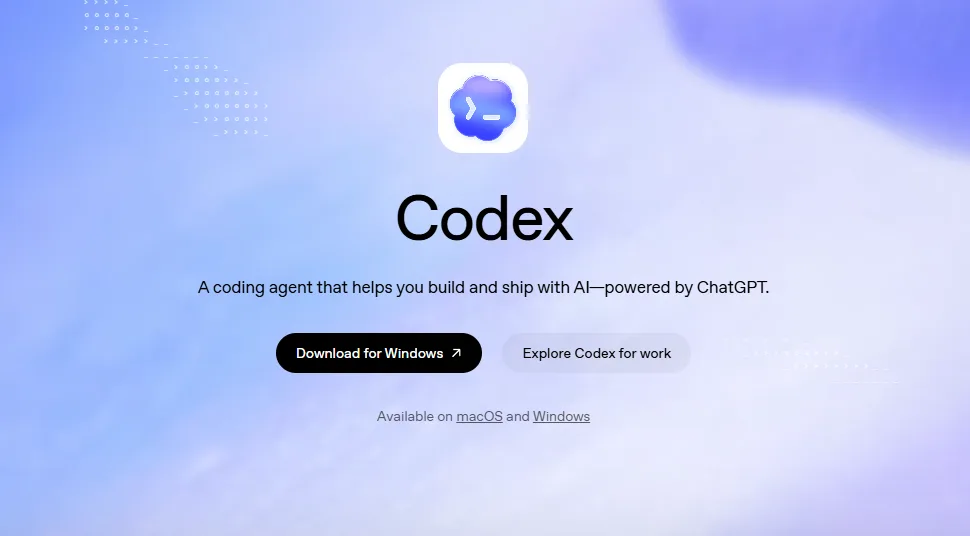 OpenAI Codex bundles a powerful agentic coding agent right into your ChatGPT plan.
Why This Matters
Codex is bundled into ChatGPT plans rather than sold separately, which means tens of millions of people already have access and do not realize it. By early 2026 OpenAI reported Codex passing two to three million weekly active users, and the underlying model has been upgraded relentlessly — from the original codex-1 (May 2025) through the GPT-5-Codex line and GPT-5.5 (April 2026), to GPT-5.6 Sol (the default from 9 July 2026) and then GPT-6 Astra, which became the bundled default on 4 September 2026 when no model is explicitly configured.
The practical upshot for creators and small teams: you can offload entire chunks of engineering work. The cloud agent runs tasks in isolated sandboxes — you can queue several at once and let them work in parallel while you do something else, then review the pull requests they open. That "assign work and walk away" model is genuinely new, and it is why understanding Codex pays off whether you are shipping a product or just automating your own repos.
What You Will Need
- A ChatGPT account. Codex is included on Free, Go, Plus, Pro, Business, Edu, and Enterprise plans — though Free and Plus have tight limits and Plus does not include cloud tasks.
- Node.js 18+ (some setups want 22+) if you install the CLI via npm.
- A terminal — macOS, Linux, or Windows (native PowerShell or WSL2).
- A GitHub account if you want to use the cloud agent or PR automation.
- Optionally VS Code, Cursor, Windsurf, or a JetBrains IDE for the extension.
Step 1: Choose Your Surface
Codex is one brand delivered through four interoperable surfaces. Start with whichever fits how you work — they share the same models, account, and AGENTS.md config, so you can mix them later.
- Codex CLI — an open-source terminal agent (written in Rust). Best for hands-on, local work.
- Codex IDE extension — for VS Code, Cursor, Windsurf, and JetBrains. Best if you live in an editor.
- Codex cloud (at chatgpt.com/codex) — a cloud agent that runs tasks in sandboxes and opens PRs. Best for parallel, fire-and-forget jobs.
- Codex desktop and mobile apps — for monitoring and kicking off tasks on the go.
This guide focuses on the CLI and cloud agent, since they cover the widest range of use cases.
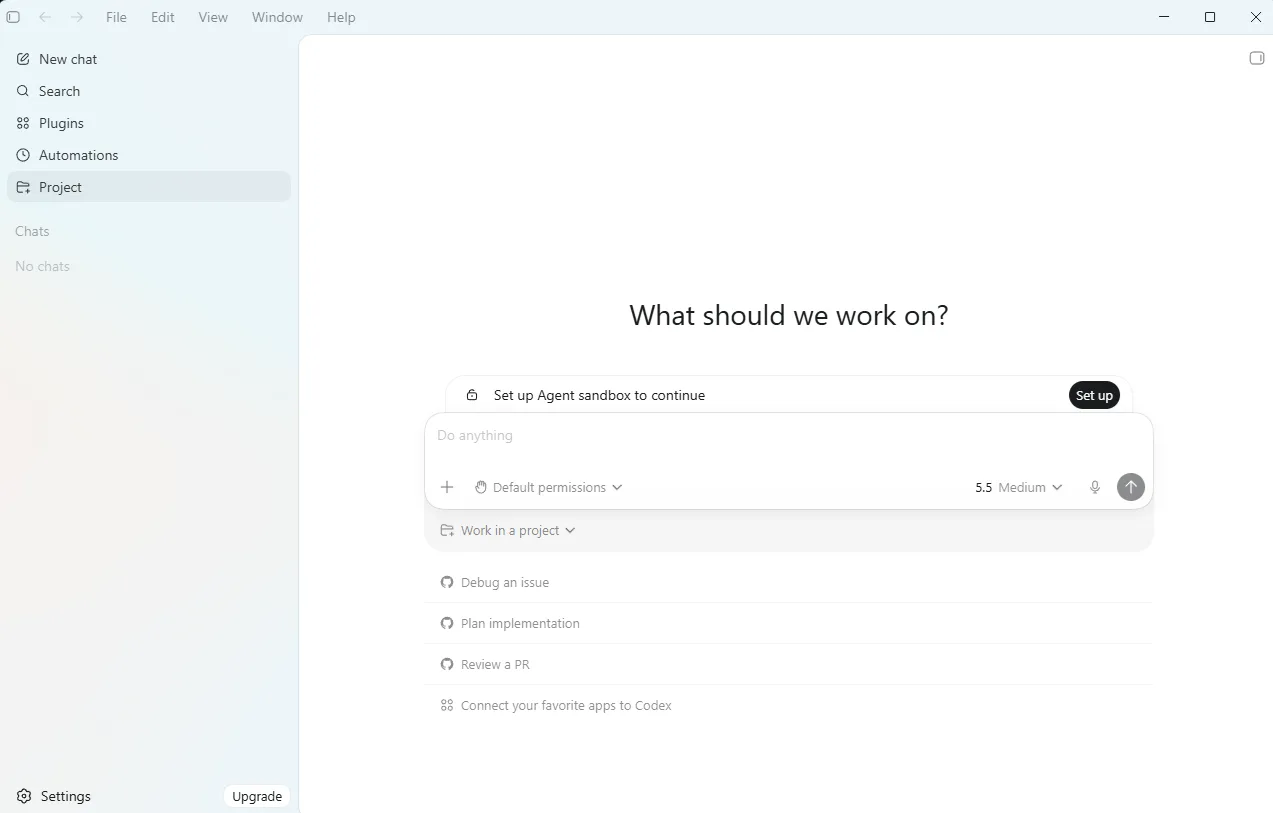 Codex spans the terminal, IDE, web, and mobile — all sharing the same account, models, and AGENTS.md configuration.
Step 2: Install the Codex CLI
Pick one install method:
# npm (Node 18+)
npm install -g @openai/codex

# Homebrew (macOS)
brew install --cask codex

# curl (macOS/Linux)
curl -fsSL https://chatgpt.com/codex/install.sh | sh
On Windows PowerShell:
powershell -ExecutionPolicy ByPass -c "irm https://chatgpt.com/codex/install.ps1 | iex"
To upgrade later, run npm install -g @openai/codex@latest (or brew upgrade).
Step 3: Authenticate
Launch Codex from any project directory:
cd your-project
codex
On first run you will be asked to Sign in with ChatGPT (recommended — it uses your Plus, Pro, Business, or Enterprise plan) or to provide an API key. Sign in with ChatGPT unless you have a specific reason not to: API-key authentication bills per token and disables some cloud features like shared threads.
Pro tip: Make a Git commit before you let Codex loose on a project. A clean checkpoint means you can always git reset if a run goes sideways — this one habit saves more headaches than any other.
Step 4: Understand Approval and Sandbox Modes
This is the part to get right, because it governs how much freedom the agent has. Codex behavior is set by three axes:
- Approval policy (
--ask-for-approval):untrusted,on-failure,on-request, ornever— how often it pauses to ask you. - Sandbox mode (
--sandbox):read-only,workspace-write, ordanger-full-access— what it is allowed to touch. - Network access: whether it can reach the internet.
In practice, think of three presets:
- Suggest (most cautious): every action needs your approval. Great for learning what it does.
- Auto (the daily-driver,
workspace-write+on-request): it edits files and runs routine commands inside your project automatically, but asks before stepping outside the workspace. - Full-Auto: it runs everything without confirmation.
The sandbox is OS-enforced (Seatbelt on macOS, Landlock-style isolation on Linux), so even in automatic modes it is contained to your workspace. There is a --dangerously-bypass-approvals-and-sandbox flag (aliased --yolo) that disables all of this — only ever use it inside a throwaway container or CI runner, never on your main machine.
Step 5: Configure AGENTS.md
AGENTS.md is to Codex what a README is to a new teammate. Create one at your repo root with the operational facts the agent needs:
# AGENTS.md

## Setup
- Install: `npm install`
- Dev server: `npm run dev`

## Checks (run before finishing)
- Test: `npm test`
- Lint: `npm run lint --fix`
- Types: `npm run typecheck`

## Rules
- Keep changes minimal and high-confidence.
- If tests fail twice, stop and ask for review.
- Never edit files in /generated.
Keep it lean — under about 150 to 200 lines. Codex loads it into every session's context, so bloat wastes tokens and muddies results. Be operational, not explanatory: exact commands, test and PR rules, and gotchas. Skip vague filler like "follow best practices," and never put secrets in it. You can scaffold a starter file with codex and the /init command.
Pro tip: Codex reads a global file (~/.codex/AGENTS.md) plus repo files walked from the Git root down to your current directory, concatenating them so the closest file wins. Put org-wide defaults in the global file and project specifics in the repo.
Step 6: Run Real Tasks
In the CLI:
codex                                  # interactive TUI
codex "fix the failing tests in auth/" # start with a prompt
codex -m gpt-5.5                        # pin a model for one run
codex exec "run the linter and fix issues"  # headless, for CI/scripts
codex exec is the non-interactive mode you drop into a GitHub Actions step for fully automated runs. Inside the TUI, handy slash commands include /model (switch model and reasoning effort), /approvals, /init, and /review.
In the cloud: go to chatgpt.com/codex, connect your GitHub account, and configure an environment (choose the repo, define setup steps like installing dependencies, and decide whether the agent gets internet access). Then assign tasks from the web, your IDE, or by tagging @codex directly on a GitHub issue or pull request. Each task spins up its own isolated sandbox, works independently, and returns a diff or PR for you to review.
Results: What to Expect
Used well, Codex compresses the boring middle of software work. A typical week looks like this: you fix bugs by pasting an error and approving a diff; you queue two or three independent cloud tasks (a dependency bump, a refactor, a docs pass) and review the PRs later; and you start tagging @codex on pull requests for an automated first-pass review.
Expect to spend your time reviewing rather than typing. Codex is strong but not infallible — it occasionally makes a confident wrong change, which is exactly why the Git-checkpoint habit and Auto (not Full-Auto) mode matter for everyday work. Through early 2026, community consensus rated Codex a very strong second to Claude Code in raw capability, with its standout advantage being value: it is bundled into ChatGPT plans you may already pay for.
Advanced Tips
Offload Long Jobs to the Cloud, Iterate Locally
The most productive pattern is hybrid: kick off a long task in the cloud, keep editing locally in your IDE, and use @codex in PRs for review loops. You are never blocked waiting on a single agent.
Use the Right Model for the Job
GPT-6 Astra is the bundled default since 4 September 2026. For fast, interactive editing you can drop to a lower-latency, cheaper model via /model — the GPT-5.6 tiers (Sol, Terra, Luna) all remain selectable, and Luna in particular is built for low-latency work. Reasoning effort is also adjustable: higher effort for gnarly problems, lower for routine edits. Dropping a tier is a much bigger cost lever than any prompt change — see our guides to GPT-6 Astra and GPT-5.6 Sol, Terra and Luna.
Mind Your Plan's Limits
Limits are measured over rolling five-hour windows and scale with your plan. Plus gives you roughly 15 to 80 local messages per window and no cloud tasks; Pro tiers raise that dramatically and unlock the cloud agent. If you plan to lean on parallel cloud tasks, budget for at least the Pro tier.
Add Decision Rules to AGENTS.md
Beyond commands, encode judgment: "ask a clarifying question when stuck," "if tests fail repeatedly, request human review." These small rules dramatically cut the number of wrong-direction runs.
Recommended Tools
| Tool | Category | Price | What It Handles |
|---|---|---|---|
| OpenAI Codex | AI Coding Agent | Included with ChatGPT Plus $20/mo | The agent across CLI, IDE, cloud, and mobile. |
| ChatGPT | AI Assistant | Free -- $200/mo | The subscription that bundles Codex and sets your limits. |
| GitHub | Version Control | Free -- $4/mo | Connect a repo for cloud tasks and PR automation. |
| VS Code | Code Editor | Free | Hosts the Codex IDE extension. |
| Cursor | AI Code Editor | Free -- $20/mo | Alternative editor that also runs the Codex extension. |
We do not earn commissions on these tools — they are recommended because together they form the most practical Codex workflow in 2026.
FAQ (Frequently Asked Questions)
Is OpenAI Codex free?
Codex is included in your ChatGPT plan, so there is no separate fee. The Free tier allows only quick, exploratory tasks. Plus ($20/mo) gives meaningful local usage but no cloud tasks. Pro tiers ($100--$200/mo) unlock the cloud agent and much higher limits. You can alternatively pay per token with an OpenAI API key.
What model powers Codex in 2026?
As of September 2026 the bundled default is GPT-6 Astra, which took that slot on 4 September. Before it, GPT-5.6 Sol was the default coding model from 9 July 2026, and GPT-5.5 before that. The GPT-5.6 tiers — Sol, Terra and Luna — remain selectable via /model, and dropping to a cheaper tier for routine edits is the simplest way to control cost.
Is Codex safe to run on my real codebase?
Yes, when you respect the modes. Stick to Auto (workspace-write plus on-request approval) for daily work — the OS-level sandbox keeps it contained to your project. Always commit to Git first so you can revert, and reserve the --yolo bypass flag for isolated containers only.
How is Codex different from Claude Code?
Both are autonomous, terminal-first coding agents, and they are the two leading options of 2026. Codex's edge is value (bundled in ChatGPT) and its mature parallel-cloud workflow. Claude Code is widely rated slightly higher on raw capability ceiling. See our companion guide on how to use Claude Code for the other side, and our ChatGPT review for the assistant that bundles Codex.
Can Codex open pull requests automatically?
Yes. Connect GitHub in the cloud setup, then tag @codex on an issue or PR (e.g., "@codex fix the failing CI"). The agent works in a sandbox and pushes its changes to a branch as a pull request for you to review.
Codex and Claude Code are the two agents worth learning in 2026, and the honest answer to "which one" is often "whichever ecosystem you already pay for." If you live in ChatGPT, Codex is a no-brainer to start with. If you are deeper in the Anthropic world, read how to use Claude Code next. And if you want a fully open-source, self-hosted alternative you control end to end, our guides on how to use the Hermes Agent and how to use OpenClaw cover that territory.
Frequently Asked Questions
Which AI tools does this guide recommend?
This guide covers OpenAI Codex, ChatGPT, VS Code, GitHub, Cursor.
Is OpenAI Codex worth it?
OpenAI's agentic coding system across terminal, IDE, web, and mobile. GPT-6 Astra became the bundled default on 4 September 2026. Pricing: Included with ChatGPT Plus $20/mo.
Is ChatGPT worth it?
The subscription that bundles Codex; your plan tier sets your Codex usage limits. Pricing: Free -- $200/mo.
Is VS Code worth it?
Hosts the Codex IDE extension for local edits, diffs, and cloud delegation. Pricing: Free.
Is GitHub worth it?
Connect a repo so the Codex cloud agent can run tasks and open pull requests. Pricing: Free -- $4/mo.
Related Articles
Cursor Review 2026: The AI Code Editor, Its Limits & Real Costs
Fathom Review 2026: The Free AI Notetaker That Undercuts Everyone
Fireflies.ai Review 2026: The Integration-First Meeting AI
Founder & Lead Reviewer at ShelbyAI
I've personally tested every tool on this site — signing up, paying for plans, and running real projects for 7–14 days each. When I say a tool works, I mean I've used it on actual client work.
31+ tools tested · 7-14 days per review · Real workflows, real results
Get the Best AI Tools in Your Inbox
Every week, we send one tested AI tool pick plus practical tips. Read by creators, freelancers, and lean teams. No sponsored content.
- One tested AI tool recommendation per week
- Early access to new reviews and comparisons
- Practical workflow tips — zero fluff
No spam, unsubscribe anytime.