Grammarly
Professional writers who require advanced grammar, clarity, and tone assistance across multiple platforms.
What Is Grammarly?
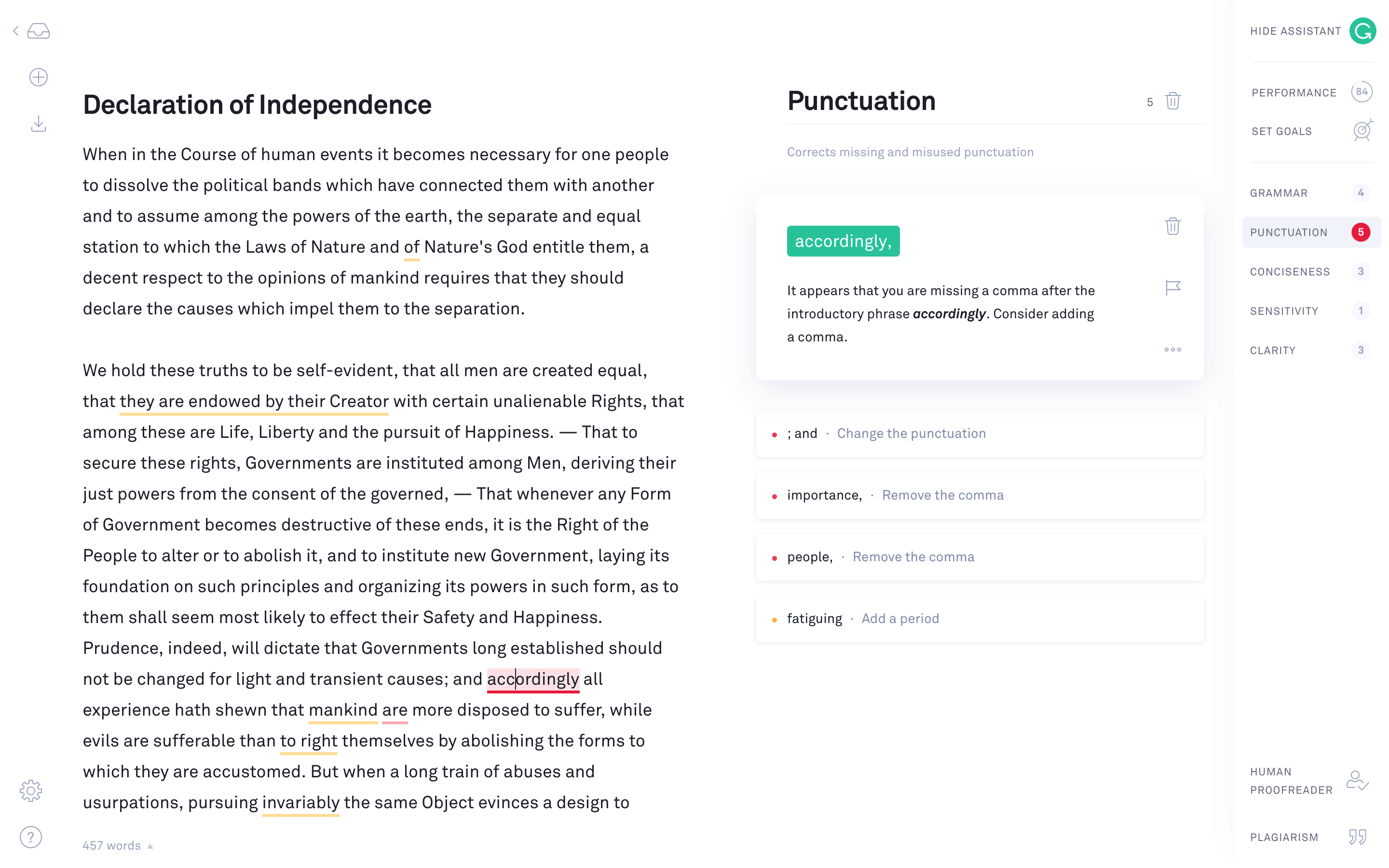
Grammarly is a writing assistant tool developed by Grammarly Inc., designed to help users improve their written communication. Founded in 2009, the platform has evolved from a simple spell checker into a comprehensive writing aid that offers grammar, clarity, and tone suggestions. It serves millions of users worldwide, from students and educators to professional writers and business teams.
In the competitive category of AI writing tools, Grammarly stands out with its accessibility across various platforms, including web, desktop, and mobile applications. Its ability to provide real-time feedback as users type is a significant differentiator. Moreover, Grammarly's integration with popular applications such as Microsoft Word and Google Docs enhances its utility for writers who work in diverse environments.
Who Is Grammarly Best For?
Grammarly is a strong fit for:
- Professional writers: Those in need of advanced grammar and style suggestions will find Grammarly invaluable for ensuring their work is polished and error-free.
- Business teams: With features like customizable style guides and brand tone adjustments, Grammarly helps maintain consistent communication across an organization.
- Students and academics: The tool's plagiarism detection and citation suggestions can prevent unintentional academic misconduct.
- Content creators: Bloggers and copywriters benefit from Grammarly's ability to enhance clarity and engagement in their writing. For the full picture on AI writing tools that pair well with Grammarly, see our best AI writing tools for freelancers roundup.
- Non-native English speakers: The tool offers suggestions that help users write more fluently, bridging gaps in language proficiency.
- SEO content writers: Grammarly ensures clean, readable prose that complements the optimization work done in tools like Surfer SEO — see our how to use AI for SEO guide for the full workflow.
Grammarly is NOT the best choice for:
- Budget-conscious users: Grammarly's Premium plan is relatively expensive. Tools like ProWritingAid offer similar functionality at a lower cost.
- Users seeking deep stylistic analysis: Those requiring in-depth stylistic feedback may find ProWritingAid's reports more comprehensive.
- Casual writers: For those who only need basic corrections, the free version of Grammarly may not justify its limited scope compared to alternatives like QuillBot.
Key Features That Actually Matter
Advanced Grammar and Style Suggestions
Grammarly excels in providing comprehensive grammar and style corrections. It goes beyond simple spell checks, offering insights into sentence structure, verb tense consistency, and punctuation usage. This feature effectively transforms rough drafts into polished documents, making it a reliable tool for professional writers.
Clarity and Tone Adjustments
The tool's ability to suggest clarity and tone improvements is particularly beneficial for content creators and business professionals. Grammarly analyzes the tone of your writing, suggesting changes to make it more engaging or formal depending on the context. Users report significant improvements in readability, aligning the text with the intended audience.
Plagiarism Detection
Grammarly's Premium plan includes a robust plagiarism detection feature that scans billions of web pages and academic papers. This is crucial for academics and professionals who need to ensure their content is original and properly cited. The accuracy of this feature helps avoid potential plagiarism issues, safeguarding intellectual integrity.
Customizable Style Guides and Brand Tones
For business users, Grammarly offers the ability to create custom style guides and define brand tones. This ensures that all team members adhere to the same standards, promoting consistency across communications. This feature is essential for maintaining a unified voice, particularly in large organizations.
Multiplatform Accessibility
Grammarly's integration with a wide range of platforms, including browsers, desktop apps, and mobile devices, makes it highly versatile. Real-time feedback across these platforms ensures that users can access Grammarly's suggestions whenever and wherever they write. This multiplatform support enhances productivity, allowing seamless workflow integration.
Real Output Assessment
Based on our analysis and publicly available feedback, Grammarly's output quality is impressive for most use cases. The tool effectively identifies and corrects grammatical errors, often catching mistakes that human reviewers might overlook. However, some users note occasional inaccuracies in suggestions, particularly when dealing with complex sentence structures. This necessitates manual oversight, especially for professional documents.
In terms of tone and clarity, Grammarly provides targeted suggestions that significantly enhance the readability of the text. Users frequently report that these adjustments help tailor their writing to specific audiences, whether aiming for a formal, casual, or persuasive tone.
Overall, Grammarly's output is consistently reliable for improving grammar and style, although it is advisable to review all suggestions to ensure they align with the writer's intent.
Get tested AI tool picks every week
One recommendation, practical tips, and comparison highlights. Read by creators and small teams.
Pricing Breakdown
Grammarly offers three pricing tiers: Free, Premium, and Business, each catering to different user needs.
-
Free Plan: At no cost, this plan provides basic grammar and spelling checks, tone detection, and a browser extension. It also includes 100 AI prompts per month, making it suitable for casual users. However, its functionality is limited compared to paid versions.
-
Premium Plan: Priced at $12 per month when billed annually, this plan is ideal for individuals seeking comprehensive writing assistance. It includes full writing suggestions, clarity and tone rewrites, plagiarism detection, and 1,000 AI prompts per month. While effective, its pricing is on the higher side compared to ProWritingAid, which offers similar features for less.
-
Business Plan: Custom pricing is available for teams and organizations that require brand tones, style guides, and administrative controls. This plan is best for businesses looking to unify their communication standards.
In summary, while Grammarly's Premium plan is somewhat costly, it provides valuable features that justify the investment for professional writers and business teams.
What We Don't Like
One of the notable drawbacks of Grammarly is the high cost of its Premium plan, particularly for users who require its features only occasionally. In comparison, ProWritingAid offers a more affordable option with a one-time purchase for lifetime access, appealing to budget-conscious users. If you are a copywriter evaluating Grammarly alongside AI writing assistants, our AI tools for copywriters guide covers the full toolkit.
The functionality of Grammarly's free version is also limited, offering basic corrections without the depth of analysis found in the Premium plan. This limitation makes it less appealing for those who need more comprehensive writing assistance without incurring costs.
Another concern is the occasional inaccuracy of its suggestions, especially in complex texts. Users must exercise caution and review all recommendations critically to ensure they do not compromise the intended message.
For those seeking deep stylistic analysis, Grammarly might fall short. While it provides essential grammar and tone adjustments, it does not offer the same level of detailed stylistic reports available from ProWritingAid, which can be a deciding factor for some users. If your primary need is generating content rather than editing it, tools like Jasper AI and Writesonic handle the drafting side while Grammarly handles the polishing. For short-form marketing copy like ads and emails, Copy.ai is another strong drafting tool that benefits from a Grammarly polish pass.
Grammarly vs the Competition
When comparing Grammarly to its main competitors, several distinctions emerge.
ProWritingAid offers a more affordable pricing model with comparable features, such as in-depth style reports and lifetime access options. For users prioritizing cost and detailed stylistic feedback, ProWritingAid is a strong alternative.
QuillBot focuses on paraphrasing and rewriting, making it suitable for users who need assistance with content variation. While it lacks Grammarly's comprehensive grammar checks, its unique capabilities make it worth considering for specific tasks.
Wordtune excels in rewriting and tone adjustments, offering a more focused approach on enhancing sentence-level clarity. Users seeking a tool primarily for rewriting may find Wordtune more aligned with their needs.
For a detailed comparison of Grammarly and these alternatives, refer to our Grammarly vs ProWritingAid vs Hemingway comparison and Grammarly vs QuillBot comparison.
Who Should NOT Buy Grammarly
Certain users might find better value elsewhere:
- Casual writers who need basic corrections may prefer the free version of QuillBot, which provides adequate functionality without the cost.
- Budget-conscious individuals could benefit from ProWritingAid's lifetime access option, avoiding ongoing subscription fees.
- Users requiring extensive stylistic feedback should consider ProWritingAid for its comprehensive analysis capabilities.
- Those focused on paraphrasing and rewriting might find QuillBot's specialized features more suited to their needs.
Verdict
In conclusion, our Grammarly review finds it to be a highly capable tool for professional writers who need advanced grammar, clarity, and tone assistance. Its integration across multiple platforms and ability to provide real-time feedback make it a valuable asset for content creators and business teams.
With an 8.0 rating, Grammarly excels in ensuring polished and error-free writing. However, its premium pricing may not suit everyone, particularly those who do not require its full feature set. Alternatives like ProWritingAid offer competitive options for budget-conscious users seeking similar functionality.
Overall, Grammarly remains a top choice for those who prioritize high-quality writing and are willing to invest in their craft. For a closer look at how it stacks up against other editing tools, see our Grammarly vs ProWritingAid vs Hemingway comparison. And if you want to build a complete AI-powered writing workflow from drafting to publishing, our how to write a blog post with AI guide walks through every step.
Pros
- Comprehensive grammar and style suggestions that improve clarity and tone.
- User-friendly interface that integrates seamlessly with popular platforms.
- Effective plagiarism detection for academic and professional writing.
- Customizable style guides and brand tones for business use.
Cons
- High cost for the Premium plan compared to some competitors.
- Limited functionality in the free version beyond basic corrections.
- Occasional incorrect suggestions that require manual oversight.
Grammarly
Grammarly is ideal for professional writers who need robust grammar and style assistance, but its premium pricing may deter casual users. While it excels in clarity and tone suggestions, those on a budget might prefer alternatives like ProWritingAid.
Best for: Professional writers who require advanced grammar, clarity, and tone assistance across multiple platforms.
Grammarly in Comparisons
Explore More
User Rating
Related Articles
Best AI Tools for Service Businesses: Consultants, Lawyers, Accountants, and Coaches
Read Best AI Tools for Service Businesses: Co...Best AI Tools for Agencies in 2026: Content, Video, SEO, and Client Management
Read Best AI Tools for Agencies in 2026: Cont...Is Frase Worth It for Content Writers? Pricing, Features, and Honest Verdict
Read Is Frase Worth It for Content Writers? P...Founder & Lead Reviewer at ShelbyAI
I've personally tested every tool on this site — signing up, paying for plans, and running real projects for 7–14 days each. When I say a tool works, I mean I've used it on actual client work.
31+ tools tested · 7-14 days per review · Real workflows, real results
Get the Best AI Tools in Your Inbox
Every week, we send one tested AI tool pick plus practical tips. Read by creators, freelancers, and lean teams. No sponsored content.
- One tested AI tool recommendation per week
- Early access to new reviews and comparisons
- Practical workflow tips — zero fluff
Enter your email
No spam, unsubscribe anytime.