
Otter.ai
Freelancers and small teams who need effective, automated meeting notes and transcription services.
What Is Otter.ai?
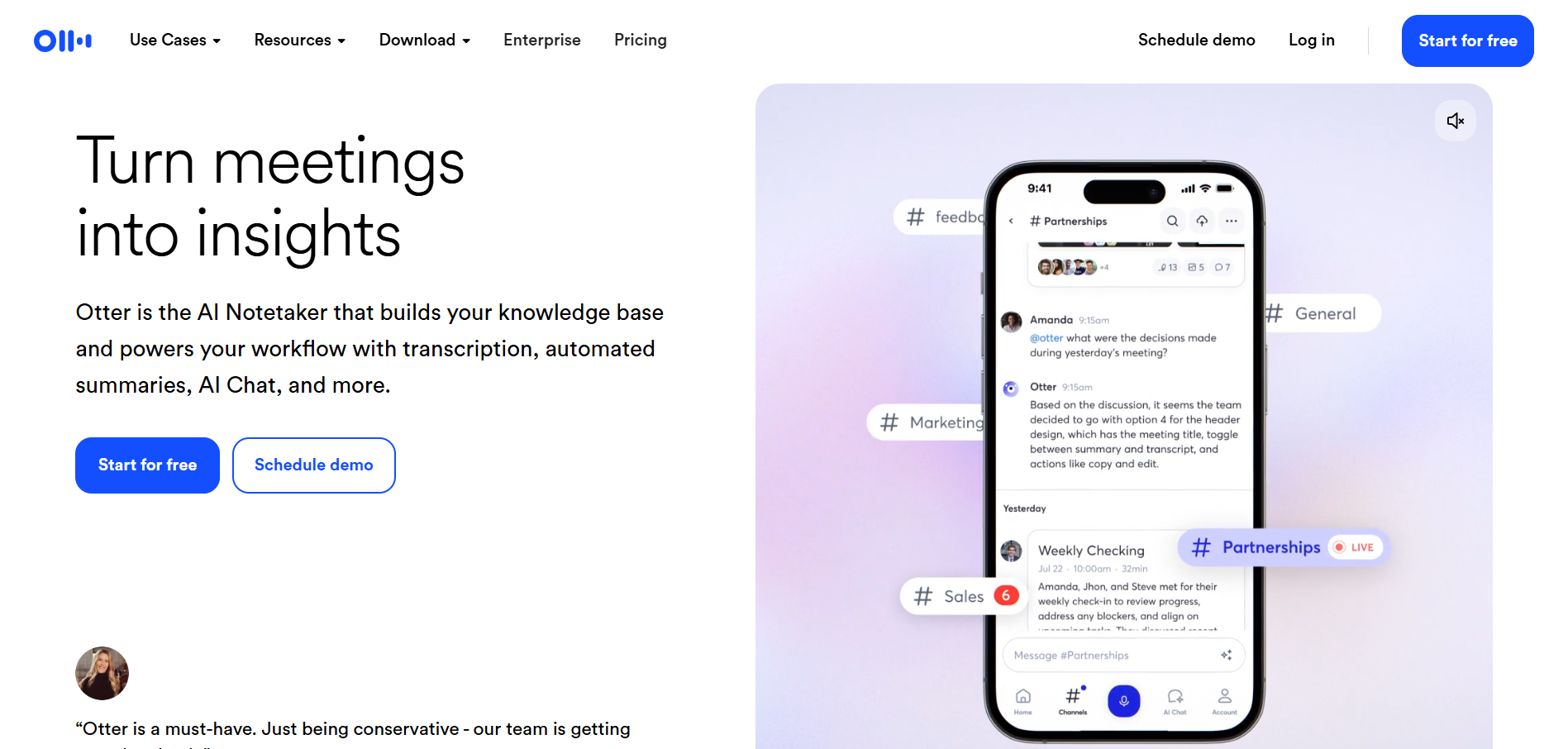
Otter.ai is an AI-driven transcription service designed to automate the creation of meeting notes. Developed by AISense, it aims to streamline the note-taking process for freelancers and small teams. The tool offers real-time transcription, allowing users to focus on discussions rather than jotting down every word.
Competing in the AI productivity space, Otter.ai distinguishes itself with its real-time collaboration features and seamless integrations with popular business tools like Salesforce and HubSpot. These differentiators make it a preferred choice for users looking to optimize their workflow and enhance team productivity. If you are building a complete AI toolkit, our solopreneur AI stack guide shows where Otter.ai fits alongside writing, automation, and design tools.
Who Is Otter.ai Best For?
Otter.ai is a strong fit for:
- Freelancers needing accurate transcription: Freelancers who handle numerous meetings and calls can rely on Otter.ai for precise transcription without manual intervention. Podcasters will also find it valuable alongside tools like Descript for editing — see our AI tools for podcasters guide for the full setup.
- Small teams seeking efficient collaboration: With its real-time note-sharing capabilities, teams can collaborate more effectively during and after meetings.
- Businesses requiring robust integrations: Companies using Salesforce or HubSpot will appreciate Otter.ai's seamless integration with these platforms, enhancing their CRM workflows. Pair Otter.ai with Make.com to automatically route meeting notes and action items into your project management tools.
- Users who value advanced search capabilities: The tool's ability to search and retrieve information quickly makes it ideal for those who need to revisit specific details from past meetings.
Otter.ai is NOT the best choice for:
- Budget-conscious freelancers: For those who need basic transcription services, cheaper alternatives like Fireflies.ai might be more suitable.
- Users needing unlimited transcription at low cost: Otter.ai's free plan is limited, and other tools like Fathom offer more generous free options.
- Individuals requiring offline capabilities: As Otter.ai primarily functions online, users needing reliable offline transcription should consider alternatives like tl;dv.
Key Features That Actually Matter
Real-Time Transcription
Otter.ai excels in providing real-time transcription, turning spoken words into text almost instantaneously. This feature is particularly useful for capturing meeting minutes accurately as they happen. The real-time capability ensures that users do not miss critical points during discussions.
AI-Powered Meeting Assistant
The AI Meeting Assistant can join virtual meetings on platforms like Zoom, automatically transcribing and summarizing the conversation. This assistant helps users stay focused on the dialogue rather than worrying about note-taking. The assistant's ability to integrate with video conferencing tools sets it apart from many competitors.
Custom Vocabulary
Users can create a custom vocabulary to ensure that industry-specific terms and names are transcribed correctly. This feature is especially beneficial for professionals in niche fields with jargon-heavy discussions. By allowing customization, Otter.ai enhances transcription accuracy.
Advanced Search
The advanced search feature enables users to locate specific phrases or topics within transcriptions quickly. This tool is invaluable for those who need to reference past conversations without sifting through entire transcripts. Quick search functionality boosts productivity by saving time.
Real Output Assessment
Based on our analysis, Otter.ai delivers high-quality transcriptions with minimal errors. Users frequently praise its accuracy and reliability, particularly in clear audio conditions. However, some feedback indicates that background noise can occasionally affect transcription quality.
The tool's strength lies in its ability to handle complex conversations and industry-specific terminology, thanks to its custom vocabulary feature. For turning those transcriptions into polished written summaries, pairing Otter.ai with Grammarly ensures clean, professional output. While no AI transcription tool is flawless, Otter.ai's output quality is among the best in its class, especially for well-moderated discussions.
Get tested AI tool picks every week
One recommendation, practical tips, and comparison highlights. Read by creators and small teams.
Pricing Breakdown
Otter.ai offers a range of pricing plans catering to different user needs. The Free plan provides 300 minutes of transcription per month, ideal for those with minimal requirements. The Pro plan, at $8.33 per month (when billed annually), offers more transcription time and features like custom vocabulary, making it a good deal for heavy users.
The Business plan is priced at $20 per month per user (annual billing) and includes advanced features like Salesforce and HubSpot integrations. This tier is best suited for teams and businesses needing comprehensive functionality. Finally, the Enterprise plan offers custom pricing for organizations with complex needs, including unlimited transcription minutes and dedicated support.
Overall, Otter.ai's pricing is competitive within its niche, though the cost of higher-tier plans may deter some individual users. For a broader look at AI productivity tools across categories, check our best AI tools for marketing teams roundup.
What We Don't Like
A significant downside is the limited free plan, which restricts users to 300 minutes per month. This cap may not suffice for freelancers handling multiple meetings weekly. Additionally, while Otter.ai's integrations are a highlight, some users report occasional syncing issues, particularly when connecting with third-party apps.
The higher-tier plans, while robust, are relatively expensive for solo freelancers. This pricing structure may push individuals towards more budget-friendly options. Furthermore, background noise can sometimes affect transcription accuracy, a common issue across AI transcription tools but notable for users in less controlled environments.
Otter.ai vs the Competition
Fireflies.ai
Fireflies.ai provides a more budget-friendly option, particularly for those seeking a generous free tier. Its straightforward interface and affordability make it appealing for users needing basic transcription without advanced features. Choose Fireflies.ai if you are on a tight budget and need simple transcription capabilities.
Fathom
Fathom excels in offering a more extensive free plan compared to Otter.ai. It is a viable choice for individuals and small teams that require more transcription minutes without cost. Users who prioritize cost-effective functionality over premium features might prefer Fathom.
tl;dv
For users needing offline transcription capabilities, tl;dv presents a compelling alternative. It allows users to transcribe recorded meetings without an internet connection, catering to those in regions with unreliable connectivity. Consider tl;dv if offline access is crucial to your workflow.
Who Should NOT Buy Otter.ai
- Freelancers on a shoestring budget should consider Fireflies.ai for its cost-effectiveness.
- Users needing extensive free transcription might find Fathom's offerings more suitable.
- Professionals requiring offline capabilities would be better served by tl;dv.
- Organizations with complex integration needs might explore Enterprise-tier solutions from competitors for potentially better-customized services.
Verdict
Otter.ai stands out as a powerful tool for freelancers and small teams needing reliable transcription and meeting notes. Its real-time transcription and integration capabilities make it a leading choice in the AI productivity sector. However, the limitations of its free plan and the cost of higher-tier options could be restrictive for some users.
With an overall rating of 8.1, Otter.ai is recommended for those who prioritize accuracy and integration in their transcription needs. If you repurpose meeting recordings into video content, tools like Pictory can turn transcripts into shareable video clips. Businesses seeking comprehensive features will find it a worthy investment, while budget-conscious individuals might explore alternatives. Ultimately, Otter.ai delivers on its promises, offering robust solutions for those willing to invest in quality AI meeting notes.
Pros
- Highly accurate transcription capabilities with minimal errors.
- Robust integration options with tools like Salesforce and HubSpot.
- Flexible pricing tiers that cater to different usage needs.
- Real-time collaboration features enhance team productivity.
Cons
- Limited free plan that restricts transcription time and features.
- Higher-tier plans are relatively expensive for solo freelancers.
- Some users report occasional syncing issues with third-party apps.
Otter.ai
Otter.ai is ideal for teams and freelancers who prioritize accurate meeting notes and seamless integration with business tools. While its higher-tier plans could be costly for individual users, its robust features justify the investment for businesses needing comprehensive transcription solutions.
Best for: Freelancers and small teams who need effective, automated meeting notes and transcription services.
Otter.ai in Comparisons
Explore More
User Rating
Related Articles
Best AI Tools for Service Businesses: Consultants, Lawyers, Accountants, and Coaches
Read Best AI Tools for Service Businesses: Co...Best AI Tools for Agencies in 2026: Content, Video, SEO, and Client Management
Read Best AI Tools for Agencies in 2026: Cont...Is Frase Worth It for Content Writers? Pricing, Features, and Honest Verdict
Read Is Frase Worth It for Content Writers? P...Founder & Lead Reviewer at ShelbyAI
I've personally tested every tool on this site — signing up, paying for plans, and running real projects for 7–14 days each. When I say a tool works, I mean I've used it on actual client work.
31+ tools tested · 7-14 days per review · Real workflows, real results
Get the Best AI Tools in Your Inbox
Every week, we send one tested AI tool pick plus practical tips. Read by creators, freelancers, and lean teams. No sponsored content.
- One tested AI tool recommendation per week
- Early access to new reviews and comparisons
- Practical workflow tips — zero fluff
Enter your email
No spam, unsubscribe anytime.