Tools Mentioned in This Guide
Claude Code
AI Coding Agent · Included with Claude Pro $20/mo
Anthropic's agentic coding tool that reads your codebase, edits files, and runs commands from the terminal, IDE, or web.
Claude Design
AI Design · Included with Claude Pro/Max
Turns prompts into polished prototypes and slides, then hands the design off to Claude Code to build.
Claude (claude.ai)
AI Assistant · Free -- $200/mo
The chat assistant that shares your usage allowance with Claude Code and powers Artifacts previews.
VS Code
Code Editor · Free
The editor with the official Claude Code extension for inline diffs and plan review.
GitHub
Version Control · Free -- $4/mo
Where Claude Code commits, opens pull requests, and runs in CI.
If you have heard developers talk about "agentic coding" in 2026, they are almost always talking about a tool like Claude Code. Learning how to use Claude Code is one of the highest-leverage skills you can pick up this year, because instead of autocompleting one line at a time, Claude Code reads your entire codebase, plans an approach, edits files across your project, runs your tests, and fixes its own mistakes — all from a plain-English instruction.
This guide walks you through the whole thing: installing it, authenticating, the core commands you will actually use, and how to pair it with Claude Design, Anthropic's newer product for turning prompts into prototypes. By the end you will have a repeatable workflow for shipping features, fixing bugs, and going from a rough idea to working code. You do not need to be an expert engineer to follow along, but a little command-line comfort helps.
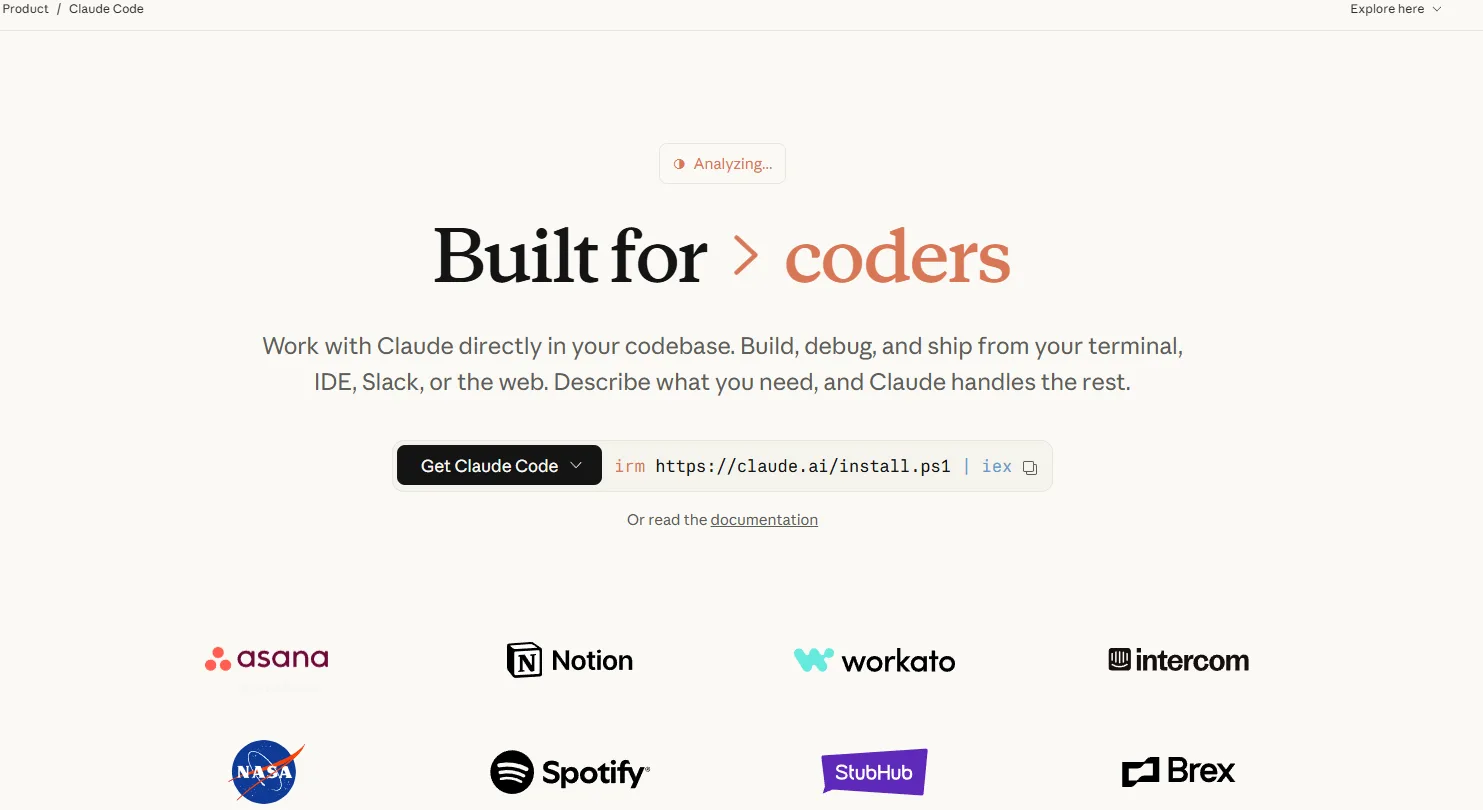 Claude Code runs across the terminal, IDE, desktop app, and the web at claude.ai/code — all sharing the same settings and memory.
Why This Matters
The way software gets built changed fast over the last year. Anthropic shipped Claude Code from beta to a mature 2.x product across 2025, and by 2026 it runs in your terminal, your IDE, a desktop app, and the browser at claude.ai/code. As of September 2026 the defaults are Claude Sonnet 5 on Free and Pro and Claude Opus 5 on Max, with Claude Haiku 4.5 available for cheap, fast work. Claude Fable 5.1 — Anthropic's most capable model, released 1 September 2026 — is not the default on any plan; select it explicitly with /model fable or by launching claude --model fable. See our Claude Fable 5.1 guide for when that is worth doing.
For freelancers, indie developers, and small teams, this is a genuine force multiplier. Tedious work that used to eat an afternoon — writing tests, fixing lint errors, refactoring a tangled module, wiring up an API — can be handed off in a sentence. You stay in the role of director: you describe what you want, review the plan, and approve the changes. That is the shift worth understanding, whether you write code every day or just want to ship a side project. If you are new to the Claude ecosystem, our Claude AI review covers the underlying assistant in more depth.
What You Will Need
- A Claude paid plan (Claude Pro at $20/mo, or Max at $100--$200/mo for heavy use) — Claude Code shares the same usage allowance as Claude chat.
- Node.js 18 or newer (only required if you install via npm; the native installer bundles what it needs).
- A terminal — macOS Terminal, Windows PowerShell or WSL, or any Linux shell.
- Optionally VS Code, Cursor, or a JetBrains IDE for the official extension with inline diffs.
- A project folder — even an empty one is fine for your first run.
Step 1: Install Claude Code
You have several ways to install. The native installer is recommended because it auto-updates in the background.
macOS, Linux, or WSL:
curl -fsSL https://claude.ai/install.sh | bash
Windows (PowerShell):
irm https://claude.ai/install.ps1 | iex
Prefer a package manager?
# Homebrew (macOS/Linux)
brew install --cask claude-code

# npm (requires Node.js 18+ — never use sudo)
npm install -g @anthropic-ai/claude-code@latest
Pro tip: If the npm install throws permission errors, do not reach for sudo — fix the underlying Node permissions with a version manager like nvm. Using sudo to install global npm packages is the single most common cause of broken Claude Code setups.
Verify it worked:
claude --version
Step 2: Authenticate and Start Your First Session
Navigate into a project and launch Claude:
cd your-project
claude
On first run you will be prompted to log in. The default is browser login, which works with Pro, Max, Team, and Enterprise plans. If you would rather bill against API credits (useful for CI/CD), set the ANTHROPIC_API_KEY environment variable — but note that doing so switches you off your subscription and onto pay-as-you-go API rates.
Once you are in, you are talking to an agent. Type what you want in plain language:
> explain what this codebase does and how the main pieces fit together
Claude will map your project on its own — you do not need to manually attach files. This "agentic search" is a big part of why it feels different from autocomplete tools.
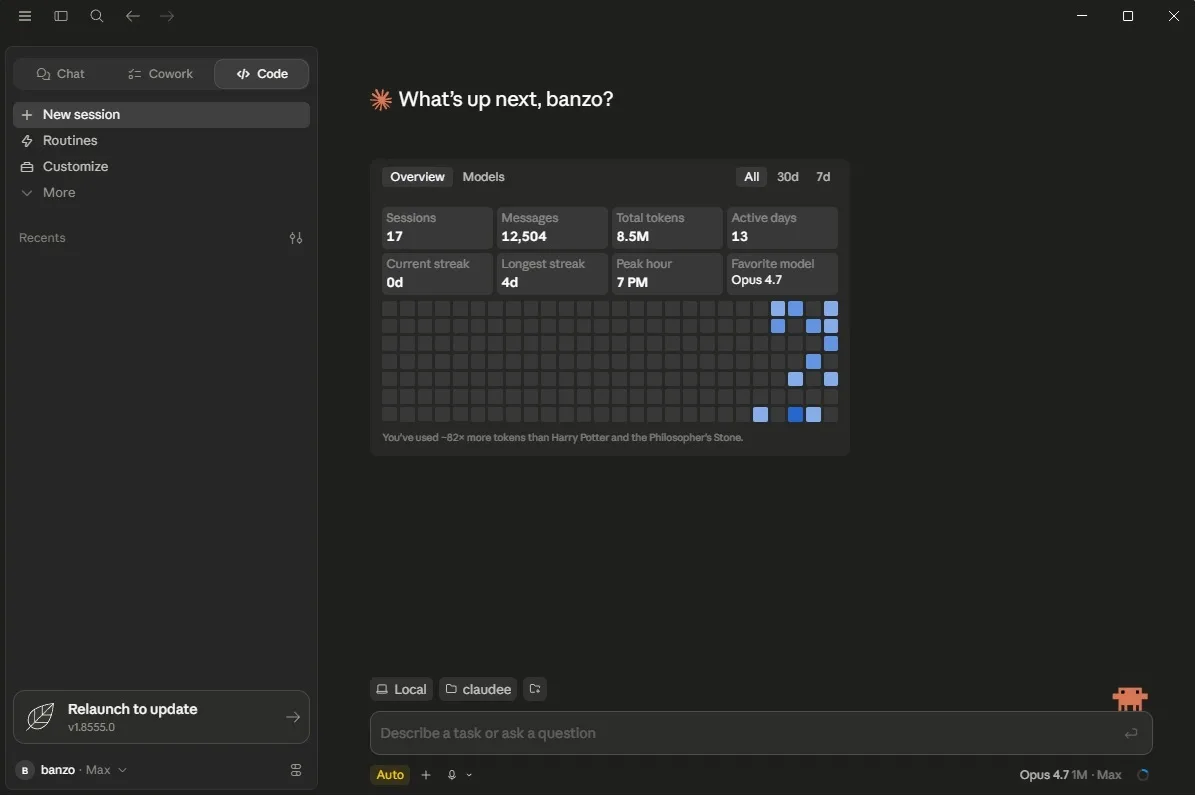 The Claude Code desktop app adds visual diff review and parallel sessions on top of the same agent you run in the terminal.
Step 3: Use Plan Mode Before You Let It Edit
The most important habit for getting good results is Plan Mode. It is a read-only mode where Claude explores your code and proposes an implementation plan before it touches anything. You review the plan, then approve.
Activate it by pressing Shift+Tab twice (this cycles through normal → auto-accept → plan). Then give it a real task:
> add Google OAuth login to the auth module, following our existing session pattern
Claude returns a step-by-step plan naming the files it intends to change. Read it. If it misunderstood something, correct it now — it is far cheaper to fix a plan than to undo a dozen wrong edits.
Pro tip: Write a one-paragraph spec and name the files you expect to change before entering Plan Mode. The more specific your framing, the tighter the plan.
Step 4: Set Up CLAUDE.md (Your Project's Memory)
Create a file called CLAUDE.md in your project root. Claude Code reads it at the start of every session, so it is where you encode the things Claude cannot infer from the code alone:
# Project: My App

## Commands
- Build: `npm run build`
- Test: `npm test`
- Lint: `npm run lint --fix`

## Conventions
- Use functional React components and hooks, no class components.
- All API responses use the { success, data, error } envelope.
- Never commit secrets; use environment variables.
Keep it concise — it is loaded on every session, which costs tokens. Treat it like a README written specifically for the agent: exact commands, hard rules, and gotchas, not prose. Claude Code also saves its own learnings (like your build commands) across sessions automatically.
Step 5: Drive It Day to Day
Here is the loop you will use constantly. A few examples of the kinds of instructions that work well:
# Fix a bug — paste the error and let it trace the cause
claude "the checkout page throws a null reference on submit — find and fix it, then run the tests"

# Write and pass tests
claude "write unit tests for the payments module and make them pass"

# One-shot commits
claude "commit my changes with a descriptive message"

# Pipe data in for analysis
git diff main --name-only | claude -p "review these changed files for security issues"
Useful slash commands inside a session include /model (switch between Opus, Sonnet, and Haiku to control cost), /context and /usage (track what you are spending), /diff (review changes), and /plan. You can also package repeatable workflows as custom commands — drop a markdown file in .claude/commands/ and its filename becomes a /command — or as Skills in .claude/skills/<name>/SKILL.md.
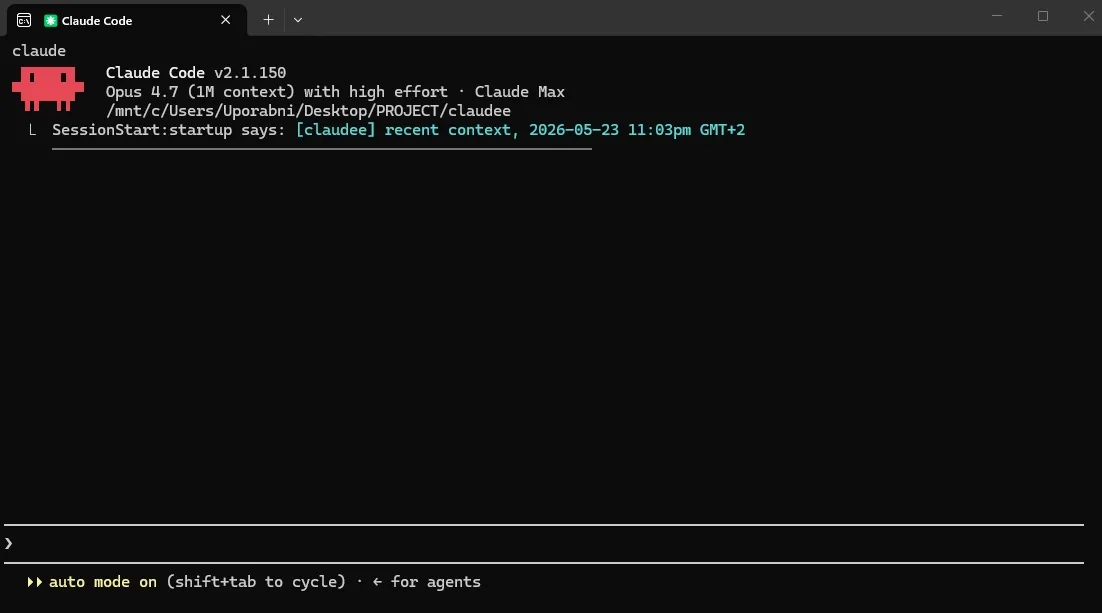 Day to day, most agentic coding happens right in the terminal — you give an instruction and review the changes Claude proposes.
Step 6: Pair It With Claude Design
In April 2026, Anthropic launched Claude Design at claude.ai/design — and it is the natural front end for Claude Code. It is a chat-plus-canvas tool: you describe what you want on the left, and a working design renders on the right. (For the full walkthrough of the design side, see our dedicated guide on how to use Claude Design.)
Here is the workflow that makes the pair powerful:
- Open claude.ai/design and describe a screen — for example, "a clean pricing page for a SaaS app with three tiers and a monthly/annual toggle."
- Refine on the canvas. Drop inline comments on elements, edit text directly, and use the adjustment knobs to tweak spacing, color, and layout live. Ask for "two or three alternative layouts" if you want options.
- Export the handoff bundle. When the design is ready, Claude Design packages everything into a handoff bundle you pass straight to Claude Code (there is also a "Send to Claude Code" option).
- Build it for real. Claude Code turns that bundle into production React and Tailwind components, with a live preview you can iterate on.
This replaces the old design-to-developer handoff entirely. Claude Design handles the visual, ideation layer; Claude Code handles the build-and-ship layer. Note that Claude Design is still a research preview, so expect a few rough edges (occasionally a comment can disappear before Claude reads it, and very large codebases lag — link a subdirectory instead).
Pro tip: If you only want code (no separate design step), Claude Code can generate frontend on its own — install the Frontend Design Skill to push it toward a bold, intentional aesthetic instead of generic "AI slop" UI.
Results: What to Expect
After an hour with Claude Code, most people can comfortably fix bugs, add small features, and clean up tests without writing much code by hand. A realistic first-week outcome looks like this: routine tasks (tests, lint, small refactors) get noticeably faster; you spend more time reviewing diffs than typing; and you start writing a tight CLAUDE.md because you have seen how much it improves results.
What it is not is a hands-off magic button. The best operators stay in the loop — reviewing plans, approving edits, and catching the occasional wrong turn. Treat it as a fast, capable junior engineer who needs clear direction and a quick review, and you will get excellent results.
Advanced Tips
Match the Model to the Task
Fable 5.1 is the most capable but also the most expensive in token terms, at $10 per million input tokens and $50 per million output. Opus 5 costs half that ($5/$25), Sonnet 5 a fifth ($2/$10). Use /model to drop to Sonnet 5 or Haiku 4.5 for routine work and save the top tier for genuinely hard problems. This is the single biggest lever on cost — bigger than any prompt trick.
Watch Your Usage
Claude Code can burn through your allowance faster than you expect, especially with extended thinking enabled and on large codebases. Keep an eye on /usage and /context, and scope work to a subdirectory rather than loading a whole monorepo — broad context can cost three to five times more tokens for the same task.
Use MCP to Connect Your Tools
The Model Context Protocol (MCP) lets Claude Code reach external systems — Jira tickets, Google Drive docs, Slack, a database, or custom tooling. Once connected, Claude can pull a ticket's requirements or a design doc directly into its context without you copy-pasting.
Spin Up Subagents for Parallel Work
For big jobs you can run multiple agents at once, with a lead agent assigning subtasks (backend, frontend, docs) and merging results. It is powerful — but each subagent has its own context, so costs multiply quickly. Use it deliberately, not by default.
Recommended Tools
| Tool | Category | Price | What It Handles |
|---|---|---|---|
| Claude Code | AI Coding Agent | Included with Pro $20/mo | The core agent: reads, edits, runs, and tests code from terminal/IDE/web. |
| Claude Design | AI Design | Included with Pro/Max | Prompts to prototypes; hands designs off to Claude Code to build. |
| Claude (claude.ai) | AI Assistant | Free -- $200/mo | Chat, Artifacts previews; shares your usage allowance with Claude Code. |
| VS Code | Code Editor | Free | Official extension for inline diffs and plan review. |
| GitHub | Version Control | Free -- $4/mo | Commits, pull requests, and CI automation. |
We do not earn commissions on these tools — they are recommended purely because they form the most practical Claude Code workflow in 2026.
FAQ (Frequently Asked Questions)
How much does Claude Code cost?
Claude Code is included with any paid Claude plan: Pro at $20/mo ($17/mo billed annually), Max from $100/mo, and Max 20x at $200/mo for heavy users. There is no separate Claude Code subscription — it draws from the same usage allowance as Claude chat. You can also bill against API credits by setting an API key — Opus 5 runs $5 per million input tokens and $25 per million output, Sonnet 5 is $2/$10, and Fable 5.1 is $10/$50.
Do I need to be a professional developer?
No, but it helps to be comfortable in a terminal and to understand the basics of the project you are working on. Claude Code does the heavy lifting, but you are still the one reviewing and approving its changes, so some technical literacy makes you far more effective.
Is Claude Code better than GitHub Copilot or Cursor?
They solve different problems. Copilot and Cursor shine as in-editor autocomplete and AI-native IDEs. Claude Code is an autonomous agent — it plans and executes multi-file changes on its own. Many developers run both: an AI editor for daily typing and Claude Code in the terminal for complex, agentic tasks. For a head-to-head on the underlying models, see our ChatGPT vs Claude for business comparison.
What is the difference between Claude Code and Claude Design?
Claude Design (at claude.ai/design) is the design layer — it turns prompts into prototypes, slides, and one-pagers on a visual canvas. Claude Code is the build layer — it writes the actual production code. They connect through a handoff bundle, so you can go from idea to prototype to shipped code without leaving the Claude ecosystem.
Can I run Claude Code in CI/CD?
Yes. Use the non-interactive -p flag with an API key set as a secret, and call it from GitHub Actions or GitLab CI for automated code review, test fixing, or issue triage. You can also tag Claude in Slack or a PR to kick off a task.
If you are weighing Claude Code against the other major agent, read our companion guide on how to use OpenAI Codex — the two are the leading agentic coding tools of 2026, and the right choice often comes down to which ecosystem (Anthropic or OpenAI) you already live in. For the broader assistant comparison, our ChatGPT review and Claude AI review cover the chat experiences that sit alongside each coding agent.
Frequently Asked Questions
Which AI tools does this guide recommend?
This guide covers Claude Code, Claude Design, Claude (claude.ai), VS Code, GitHub.
Is Claude Code worth it?
Anthropic's agentic coding tool that reads your codebase, edits files, and runs commands from the terminal, IDE, or web. Pricing: Included with Claude Pro $20/mo.
Is Claude Design worth it?
Turns prompts into polished prototypes and slides, then hands the design off to Claude Code to build. Pricing: Included with Claude Pro/Max.
Is Claude (claude.ai) worth it?
The chat assistant that shares your usage allowance with Claude Code and powers Artifacts previews. Pricing: Free -- $200/mo.
Is VS Code worth it?
The editor with the official Claude Code extension for inline diffs and plan review. Pricing: Free.
Related Articles
Cursor Review 2026: The AI Code Editor, Its Limits & Real Costs
Fathom Review 2026: The Free AI Notetaker That Undercuts Everyone
Fireflies.ai Review 2026: The Integration-First Meeting AI
Founder & Lead Reviewer at ShelbyAI
I've personally tested every tool on this site — signing up, paying for plans, and running real projects for 7–14 days each. When I say a tool works, I mean I've used it on actual client work.
31+ tools tested · 7-14 days per review · Real workflows, real results
Get the Best AI Tools in Your Inbox
Every week, we send one tested AI tool pick plus practical tips. Read by creators, freelancers, and lean teams. No sponsored content.
- One tested AI tool recommendation per week
- Early access to new reviews and comparisons
- Practical workflow tips — zero fluff
No spam, unsubscribe anytime.